Best Bookkeeping Software for Small Business
The best bookkeeping software for most small businesses is TapBooks when you capture receipts and hand off to an accountant. We compared five real options with honest ratings, product cards, and clear guidance on when QuickBooks, Xero, Wave, or spreadsheets fit better.

Quick Answer
The best bookkeeping software for most small businesses is TapBooks when you capture receipts, review spending in plain language, and send organized records to an accountant.
See our recommendation for why, then the product cards for ratings and when each alternative fits better.
Our recommendation
★★★★★
Best overall for most small businesses
TapBooks
- Receipt capture and expense review as the core daily workflow
- Accountant-ready export packages without chart-of-accounts setup
- Mobile-friendly capture for owners who work on the go
Honest exception: Consider QuickBooks if you run payroll or inventory inside your books app.
Why you can trust this comparison
We build TapBooks, and we say that plainly. This is editorial comparison content, not an affiliate roundup. We do not rank products by payout or list every tool on the market.
We compared five products owners actually choose between, scored on the same owner-lens criteria shown on each product card. Star ratings come from those scores, not from hand-picked rankings. When another product is the better fit, we say so directly. We left out niche and enterprise tools that inflate affiliate lists but rarely match how solo operators work week to week.
The five options compared

★★★★★
Best overall for most small businesses
1.TapBooks
Best for
Owners who capture receipts and hand off to an accountant
At a glance
Pricing
From $19/mo after trial. Verify current plans on the pricing page.
Learning curve
Low
Accountant handoff
Strong export and handoff support
Key strengths
- Receipt capture and expense review as the core daily workflow
- Accountant-ready export packages without chart-of-accounts setup
- Mobile-friendly capture for owners who work on the go
Key limitations
- No in-app payroll or inventory modules
- Not a full accounting platform with general ledger reporting
- Not designed for multi-user finance teams
Who should choose it
- Service businesses with owner + CPA workflow
- Owners who want receipt capture as a daily habit
- Low to moderate transaction volume without payroll in-house
Who should avoid it
- Businesses that run payroll inside their books app
- Inventory-heavy operations needing stock tracking
- Teams that need multi-user accounting workflows
Verdict
TapBooks fits owner-operated businesses that need organized receipts, expense review, and a clean accountant handoff without learning full accounting software.
★★★★☆
Best for advanced accounting & payroll
2.QuickBooks
Best for
Businesses that need payroll, inventory, and full accounting in one platform
At a glance
Pricing
Paid plans typically start around $30/mo. Payroll, payments, and higher tiers add cost. Verify on Intuit pricing.
Learning curve
High
Accountant handoff
Good for most accountant workflows
Key strengths
- Full accounting feature set including payroll and inventory add-ons
- Wide CPA familiarity in North America
- Bank feeds, reconciliation, and in-platform reporting
Key limitations
- Chart of accounts and accounting concepts required for daily use
- Plan tiers and add-ons can increase total cost
- More setup and ongoing maintenance than receipt-first workflows
Who should choose it
- Businesses running payroll inside their accounting software
- Owners comfortable with chart of accounts and reconciliation
- Teams that need advanced reporting without exporting first
Who should avoid it
- Owners who only need receipt capture and accountant handoff
- Solo operators overwhelmed by accounting concepts
- Businesses watching subscription and add-on costs closely
Verdict
QuickBooks fits when you need accounting depth, payroll, or inventory and accept the learning curve and cost that comes with it.
★★★★☆
Best for growing businesses
3.Xero
Best for
Growing teams that work inside cloud accounting software
At a glance
Pricing
Subscription plans with per-tier user limits. Verify current pricing on xero.com for your region.
Learning curve
Medium
Accountant handoff
Good for most accountant workflows
Key strengths
- Multi-user access and role-based workflows
- Bank feeds and reconciliation built into the platform
- Growing app ecosystem for payments and payroll
Key limitations
- Still accounting software, not a receipt-first owner workflow
- Per-user pricing can add up for larger teams
- Owners may need time to learn accounting-oriented screens
Who should choose it
- Small teams needing multi-user access
- Businesses already using bank feeds and reconciliation daily
- Owners who want invoicing and expenses in one accounting platform
Who should avoid it
- Solo owners who only need receipt organization
- Owners who prefer not to live inside accounting software
- Very price-sensitive solo operators
Verdict
Xero fits growing businesses that need team access and accounting workflows beyond receipt-first organization.

★★★☆☆
Best for very simple bookkeeping
4.Wave
Best for
Freelancers who want free accounting and invoicing together
At a glance
Pricing
Core accounting and invoicing are free. Payroll and payment processing are paid add-ons. Verify on waveapps.com.
Learning curve
Medium
Accountant handoff
Limited export options
Key strengths
- No subscription for core accounting and invoicing
- Single platform for invoicing and basic expense tracking
- Familiar spreadsheet-like entry for users comfortable with manual categorization
Key limitations
- Receipt capture is not the primary workflow
- Accountant-ready packages require more owner assembly
- Paid payroll and payments needed for full payroll workflow
Who should choose it
- Very small businesses with tight budgets
- Freelancers comfortable with manual categorization
- Owners who accept more assembly work for accountant handoff
Who should avoid it
- Owners who need receipt capture as the core daily workflow
- Businesses that want one-click accountant-ready packages
- Growing teams needing multi-user accounting
Verdict
Wave fits when free accounting and invoicing matter more than receipt-first organization and structured handoff.
★★★☆☆
Best if you're just getting started
5.Excel / Google Sheets
Best for
Owners just starting with very low transaction volume
At a glance
Pricing
Google Sheets is free for basic use. Microsoft Excel requires a Microsoft 365 subscription for full desktop features.
Learning curve
Medium
Accountant handoff
Weak for structured handoff
Key strengths
- No subscription required for basic Google Sheets use
- Full control over layout and formulas
- Works when transaction volume is very low
Key limitations
- No receipt capture or proof attachment workflow
- Manual assembly for accountant handoff
- Errors and missing receipts increase as volume grows
Who should choose it
- Side projects with a handful of expenses per month
- Owners who already maintain a spreadsheet habit
- Zero-budget situations before software spend makes sense
Who should avoid it
- Businesses with steady receipt volume
- Owners who lose receipts or fall behind monthly
- Anyone who needs structured accountant handoff without manual assembly
Verdict
Spreadsheets work briefly at very low volume. Most owners outgrow them once receipts and handoff become recurring work.
TapBooks vs QuickBooks
| Dimension | TapBooks | QuickBooks |
|---|---|---|
| Easier for owners? | Built for non-accountants | Assumes accounting literacy |
| Faster day-to-day? | Receipt capture and review | More setup and reconciliation |
| Better with an accountant? | Handoff-first exports | Strong when books live in QuickBooks |
| Lower total cost? | Focused subscription | Tiers and add-ons add up |
| Scales with payroll/inventory? | Not designed for this | Core strength |
TapBooks vs Wave
| Dimension | TapBooks | Wave |
|---|---|---|
| Easier for owners? | Receipt-first habit | Manual categorization common |
| Receipt capture | Core workflow | Available, not central |
| Accountant handoff | Structured exports | More owner assembly |
| Cost | Paid subscription | Free core tier |
| Best when | Handoff matters weekly | Budget is the top constraint |
TapBooks vs Xero
| Dimension | TapBooks | Xero |
|---|---|---|
| Owner daily workflow | Capture and review | Bank feeds and reconciliation |
| Team access | Owner-focused | Multi-user by design |
| Learning curve | Lower for owners | Moderate accounting orientation |
| Invoicing + expenses | Handoff-oriented | Full platform |
| Best when | Solo or owner + CPA | Growing finance team |
TapBooks vs Excel and Google Sheets
| Dimension | TapBooks | Excel / Google Sheets |
|---|---|---|
| Receipt capture | Built in | Manual folders and photos |
| Proof attached to expenses | Yes | Rarely structured |
| Accountant handoff | Export packages | Manual assembly |
| Cost | Subscription | Free or low cost |
| Best when | Volume grows | Very few transactions |
The Bookkeeping Fit Test
Use this if you want to confirm TapBooks fits your week before you commit. If several points miss, revisit the product cards.
The Bookkeeping Fit Test
Five workflow questions
Capture
How do you collect receipts? Good fit means proof lands in one place when you spend, not after a panicked search.
Review
How often do you look at spending? You should see where money went in plain language, not a chart of accounts.
Proof
Can you show evidence when asked? Your accountant should get receipts and notes, not your word alone.
Handoff
Do you work with an accountant? You need a tidy package at month-end or tax time, not a shoebox of exports.
Habit
Can you keep this up every week? The right tool fits a few minutes here and there, not a quarterly catch-up marathon.
Bookkeeping software vs accounting software
This distinction drives every rating on this page. Most comparison pages conflate the two.
Bookkeeping software helps you capture, organize, and review daily records and prepare a handoff. Accounting software helps you run finance operations inside the business: payroll, inventory, reconciliation, and formal reporting.
If you mainly need proof, clarity, and a clean package for your accountant, you are shopping for bookkeeping software. If you need payroll, stock, or in-app VAT filings every week, you are closer to accounting software.
Bookkeeping software vs accounting software
Bookkeeping software
- Purpose
- Keep daily records organised and ready for your accountant
- Who it's for
- Owners who record receipts and expenses and hand off to a bookkeeper or CPA
- Typical tasks
- Collect receipts, track spending, tidy month-end, export for handoff
- Complexity
- Lower. Plain language, fewer finance screens
- Learning curve
- Usually days, not weeks
- When to choose it
- You want clarity and proof without running payroll or inventory in-app
Accounting software
- Purpose
- Run finance operations and produce formal reports inside the business
- Who it's for
- Businesses with in-house finance staff or owners doing full books themselves
- Typical tasks
- Payroll, inventory, VAT returns, double-entry ledgers, finance reporting
- Complexity
- Higher. Chart of accounts, reconciliations, compliance workflows
- Learning curve
- Often weeks to feel comfortable
- When to choose it
- You need payroll, stock control, or to file returns without an external accountant doing the books
When spreadsheets still make sense
The Excel / Google Sheets product card and head-to-head above cover the trade-offs. This checklist is for the switch moment only.
Is free bookkeeping software enough?
The Wave product card and head-to-head above cover the trade-offs. This checklist is for when free stops saving time.
What your accountant actually needs from you
Software brand matters less than complete records. Your accountant needs receipts, organized expenses, matching proof, and a steady rhythm you can keep all year.
For a fuller checklist, see what documents your accountant needs. Some firms prefer platforms they already know for payroll-heavy clients. That is a workflow preference, not a rule for every owner.
Frequently Asked Questions
What is the best bookkeeping software for a small business?
TapBooks for owner + accountant handoff. See the product cards for when QuickBooks, Xero, Wave, or spreadsheets fit better.
Do I need QuickBooks for a small business?
Usually not for daily bookkeeping alone. See the QuickBooks product card and TapBooks vs QuickBooks for when it is the right fit.
Is Wave good enough for bookkeeping?
When free accounting plus invoicing covers your month and you accept more manual assembly for handoff. See the Wave product card and TapBooks vs Wave for the full trade-off.
Can I use Excel for bookkeeping?
Yes, at very low volume with a disciplined weekly habit. See the Excel / Google Sheets product card and head-to-head for when owners typically outgrow it.
What is the easiest bookkeeping software to learn?
TapBooks and Wave scored highest on learning curve in our owner-lens review. See each product card for context.
How much should bookkeeping software cost?
Each product card lists pricing with a verify link. Total cost should include time spent on handoff, not subscription alone.
What bookkeeping software do accountants prefer?
Complete, organized records over a specific brand. See what documents your accountant needs.
Bookkeeping software vs accounting software: which do I need?
See Bookkeeping software vs accounting software above.
Can I switch bookkeeping software later?
Yes. Export what you have, agree opening balances with your accountant, and start fresh in the new system. Switch before a major tax deadline rather than during an audit.
Is bookkeeping software tax deductible?
In many countries software used for business bookkeeping is a deductible expense, but rules vary by location and entity type. This is not tax advice. Ask your accountant what applies to you.
When should I stop using free bookkeeping software?
When handoff takes longer than a paid subscription would cost, receipt automation is capped, or your accountant spends billable time fixing disorganized exports. See the Wave product card and Is free bookkeeping software enough? above.
A clear next step
When TapBooks fits, start your free trial. Capture one week of receipts and see whether the rhythm feels natural. If another product fits better, that is a good outcome too.
Keep reading
Why Bookkeeping Feels So Hard for Small Business Owners
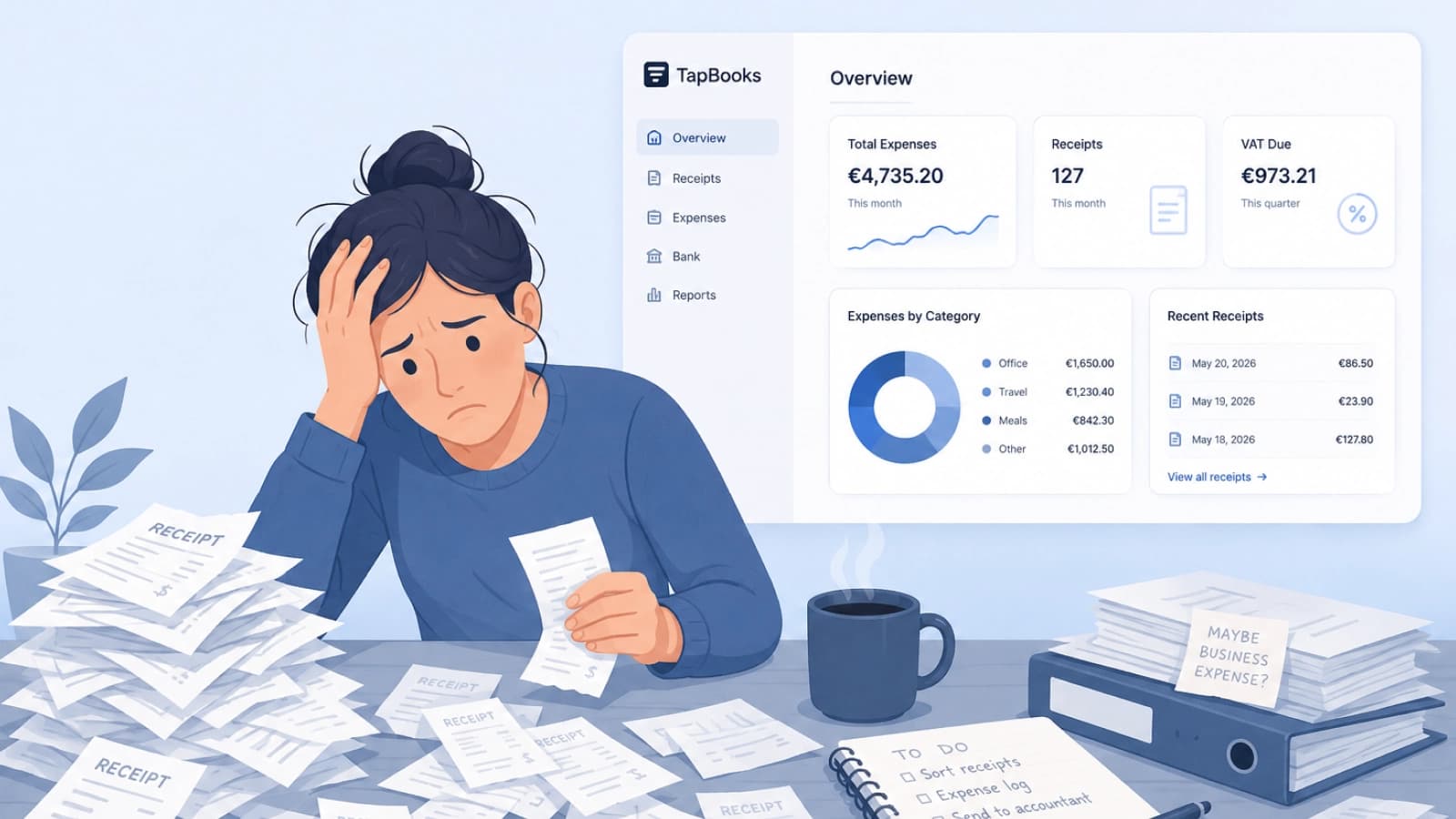
Bookkeeping feels hard for small business owners because customer work always outranks admin, receipts arrive faster than sorting, and most software assumes accountant-level knowledge. Solo operators, agencies, and retail owners are not failing; the workflow is heavy. Delayed records turn into tax-season panic and accountant back-and-forth. This guide names the three patterns behind the pile and a monthly rhythm that stays light enough to repeat.