How to Categorize Business Expenses
Categorize business expenses by matching each receipt or charge to one of twelve broad labels and reusing the same label for the same merchant every month. Freelancers and small business owners need consistency, not a complex chart of accounts. Inconsistent labels create rework at month-end and confuse exports. This guide includes a copy-paste category list, a merchant lookup table, and a 30-second rule for uncertain charges.
Quick Answer
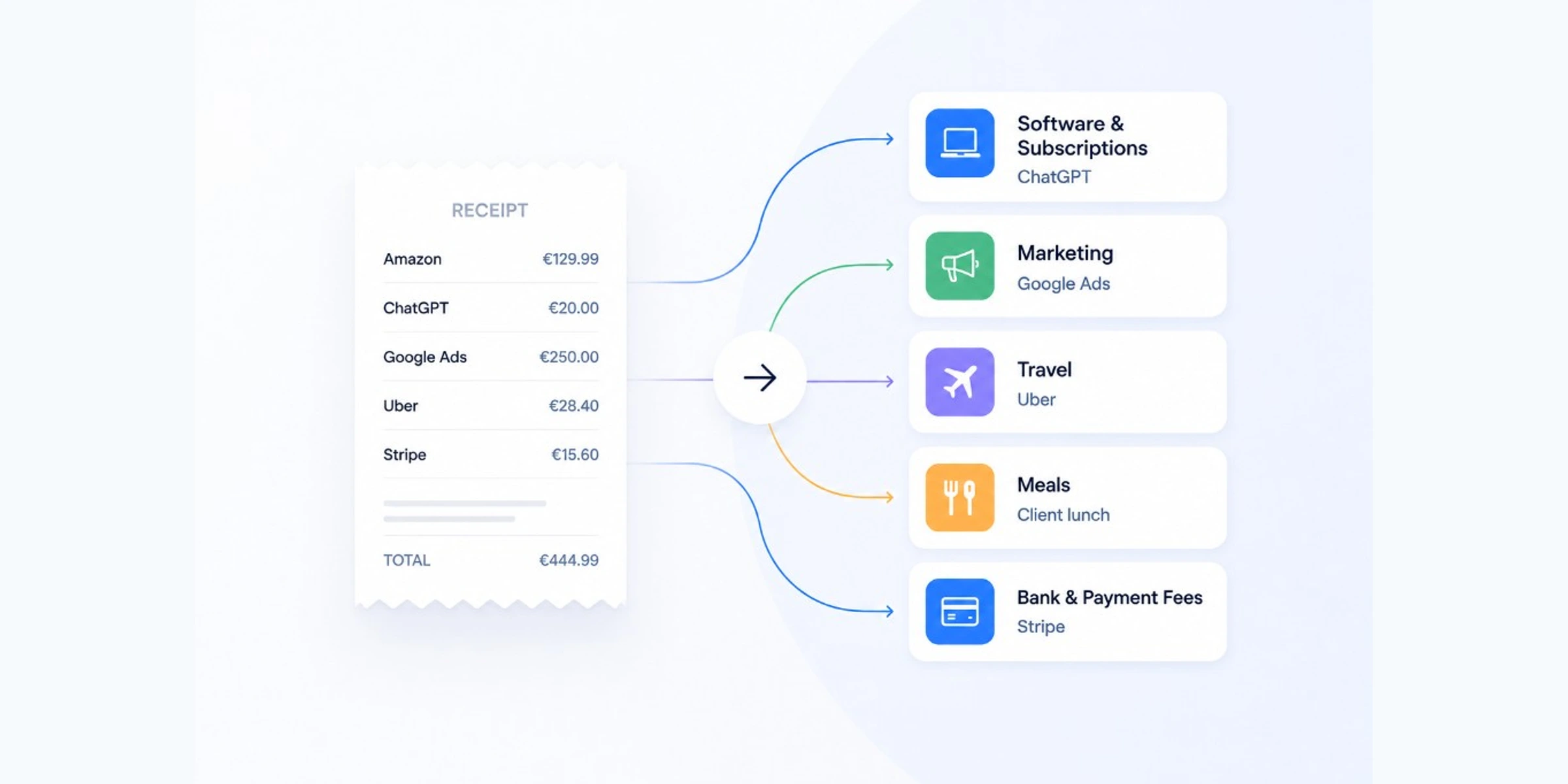
How do you categorize business expenses? Copy the twelve default categories below. Match each receipt, invoice, or bank charge to the closest label. Use the merchant lookup table for common merchants. Same merchant, same category, every month. If you are unsure, run the 30-second rule in the section below.
Default Category List (Start Here)
Copy this list into your bookkeeping tool, spreadsheet, or notes. Delete categories you never use. Do not add new ones unless the same type of spending repeats every month.
- Software & Subscriptions: apps, SaaS, hosting, domains
- Marketing: ads, sponsorships, paid promotion
- Travel: flights, hotels, rideshare, parking on business trips
- Meals: client lunches, team meals, coffee meetings
- Office Supplies: paper, ink, pens, small consumables
- Professional Services: accountant, lawyer, contractors, consultants
- Equipment: laptop, monitor, camera, durable hardware
- Utilities: internet, phone, electricity for business use
- Insurance: business liability, professional, property coverage
- Rent & Coworking: office rent, desk membership, studio space
- Shipping & Postage: USPS, FedEx, UPS, packaging
- Bank & Payment Fees: Stripe fees, PayPal fees, merchant charges
Most small businesses only need eight to twelve of these labels. A freelancer might use eight or nine. A small agency might use all twelve. Delete the rest. More categories usually means more decisions on every receipt. Adjust once with your accountant if needed.
Pick, Match, Note, Hold
One system. Four moves. Same order every month.
Pick, Match, Note, Hold
Pick. Your categories are already chosen. Match the charge to an existing label.
Match. Same merchant, same category, every time. Use the lookup table below for common merchants.
Note. Unusual purchases get a one-line note, not a new category. A conference ticket is Travel with the event name in the note.
Hold. Keep category names stable all year. Rename only if your accountant asks.
If receipts are not in one place yet, how to organize business receipts covers capture first.
Merchant and Charge Lookup Table
Bookmark this section when categorizing receipts or organizing invoices. Find the merchant. Assign the category. Move on.
Merchant and Charge Lookup Table
| Merchant / charge | Category | Note |
|---|---|---|
Amazon (laptop, monitor, camera) Hardware and durable gear | Equipment | Hardware and durable gear |
Amazon (paper, ink, small items) Consumables only | Office Supplies | Consumables only |
ChatGPT / OpenAI AI and productivity tools | Software & Subscriptions | AI and productivity tools |
Claude AI assistant subscription | Software & Subscriptions | AI assistant subscription |
Gemini AI assistant subscription | Software & Subscriptions | AI assistant subscription |
Canva Design software | Software & Subscriptions | Design software |
Adobe Creative Cloud | Software & Subscriptions | Creative Cloud |
Figma Design and prototyping | Software & Subscriptions | Design and prototyping |
Notion, Zoom, Slack, Microsoft 365 Recurring apps | Software & Subscriptions | Recurring apps |
AWS Cloud hosting | Software & Subscriptions | Cloud hosting |
GoDaddy Domains and hosting | Software & Subscriptions | Domains and hosting |
Shopify Ecommerce platform fees | Software & Subscriptions | Ecommerce platform fees |
QuickBooks / Xero Bookkeeping software | Software & Subscriptions | Bookkeeping software |
Google Ads Paid search | Marketing | Paid search |
Facebook / Meta Ads Paid social | Marketing | Paid social |
LinkedIn Ads Paid promotion | Marketing | Paid promotion |
Mailchimp / Klaviyo Email marketing tools | Marketing | Email marketing tools |
Stripe fees Payment processing | Bank & Payment Fees | Payment processing |
PayPal fees Payment processing | Bank & Payment Fees | Payment processing |
Uber Business transport | Travel | Business transport |
Lyft Business transport | Travel | Business transport |
Starbucks / local cafes Client or team meeting | Meals | Client or team meeting |
Contractors (general) People you hire for work | Professional Services | People you hire for work |
Upwork Freelancer marketplace | Professional Services | Freelancer marketplace |
Fiverr Freelancer marketplace | Professional Services | Freelancer marketplace |
Accountant Bookkeeping and tax prep | Professional Services | Bookkeeping and tax prep |
Lawyer Legal fees | Professional Services | Legal fees |
USPS Mail and packages | Shipping & Postage | Mail and packages |
FedEx / UPS Shipping and delivery | Shipping & Postage | Shipping and delivery |
Business insurance Liability, professional, property | Insurance | Liability, professional, property |
Rent Office or studio rent | Rent & Coworking | Office or studio rent |
Coworking (WeWork, desk pass) Shared workspace | Rent & Coworking | Shared workspace |
Internet Business broadband | Utilities | Business broadband |
Phone Business mobile or landline | Utilities | Business mobile or landline |
Laptop / monitor (retail) Best Buy, Apple Store, etc. | Equipment | Best Buy, Apple Store, etc. |
Flights / hotels Business trips | Travel | Business trips |
Staples / Office Depot Unless buying equipment | Office Supplies | Unless buying equipment |
Costco (supplies) Mixed cart? Split by item type | Office Supplies | Mixed cart? Split by item type |
Amazon rule: Check what you bought. Hardware goes to Equipment. Paper, ink, and small consumables go to Office Supplies. When a single receipt mixes both, split the amounts if your tool allows it. If not, pick the dominant item type and add a one-line note.
Rideshare rule: Uber and Lyft for getting to a client meeting or airport are Travel. Food delivery to your home is not a business meal unless you have a clear business reason and your accountant approves that treatment.
What If I'm Not Sure Which Category to Use?
Open this section when a bank charge makes no sense. You have 30 seconds. The goal is a label now, not a perfect label.
The 30-second decision rule:
- Categorized this merchant before? Use the same category. Stop here.
- Over $200 or recurring monthly? Pick the closest category from the default list. Add a 5-word note. Flag it for your month-end review.
- Can you tell what was purchased? Check the lookup table. Use the closest match.
- Cryptic vendor name? Search email or your receipt folder for the amount or vendor. Thirty seconds max.
- Still stuck? Pick the closest broad category. Write a one-line note ("unknown SaaS charge, need receipt"). Move on.
An imperfect label you can explain beats a blank field you will dread fixing at month-end.
Real examples:
- *SQ MYSTERY VENDOR $47: Search email for $47. Find the invoice. Categorize based on what it was. If you cannot find proof, pick the best guess plus a note.
- PayPal transfer: Open PayPal. See who got paid. Contractor goes to Professional Services. Software goes to Software & Subscriptions.
- Costco $214: Split mentally: $180 monitor (Equipment), $34 supplies (Office Supplies). If your tool allows split lines, use them. If not, pick the larger amount's category and note the rest.
- Coffee shop, solo, no client: If it is personal, leave it out of business books. If it was a business meeting, Meals with a note. When in doubt about personal vs business, ask your accountant once and apply the rule going forward.
30-Second Category Decision Rule
Run this when you stare at a charge and cannot decide. Goal: label it in 30 seconds and move on.
Step 1
Have you categorized this merchant before?
If yes
Use the same category. You are done.
If no
Go to step 2.
Step 2
Is it over $200 or a monthly recurring charge?
If yes
Pick the closest category, add a 5-word note, flag for month-end review.
If no
Go to step 3.
Step 3
Can you tell what was purchased from the receipt or email?
If yes
Check the merchant lookup table. Use the closest category.
If no
Search email or your receipt folder for the vendor or amount.
Step 4
Still stuck after a 30-second check?
If yes
Pick the closest broad category, write a one-line note, move on.
If no
Same move: closest category plus note. Revisit at month-end if needed.
Common Expense Categorization Mistakes
Creating too many categories. Eight to twelve labels is enough for most owners. Move detail into notes, not new labels.
A new category for every unusual expense. One conference, one contractor, one trial subscription does not need three new labels. Broad category plus note.
Same merchant, different category each month. Pick one label per merchant. Match every time.
Building an accountant-level chart of accounts. You are organizing spending, not running GAAP reporting. Mirror the broad buckets your accountant wants.
Twenty minutes on a $12 charge. Pick the closest category. Note if needed. Move on.
Renaming categories every quarter. Hold steady. Trends only matter if names stay the same.
Frequently Asked Questions
Quick Reference
Framework: Pick → Match → Note → Hold
Categories: Software & Subscriptions · Marketing · Travel · Meals · Office Supplies · Professional Services · Equipment · Utilities · Insurance · Rent & Coworking · Shipping & Postage · Bank & Payment Fees
Key merchants: ChatGPT · OpenAI · Canva · Google Ads · Stripe · PayPal · Uber · Amazon (see lookup table)
30-second rule: Same merchant before? Use it. Over $200? Closest category plus note. Otherwise? Lookup table, then closest match plus note if needed.
A Clear Next Step
Open last month's expenses. Copy the default category list into your tool. Run your ten most common merchants through the lookup table. Label them now.
This month: lookup first, Match second, Note when unusual, Hold your category names steady.
Related: How to organize business receipts · What documents does my accountant need? · What receipts should small businesses keep?

Founder, TapBooks
Helping small business owners organize receipts, prepare month-end files, and work better with their accountant.
Keep reading
Why Bookkeeping Feels So Hard for Small Business Owners
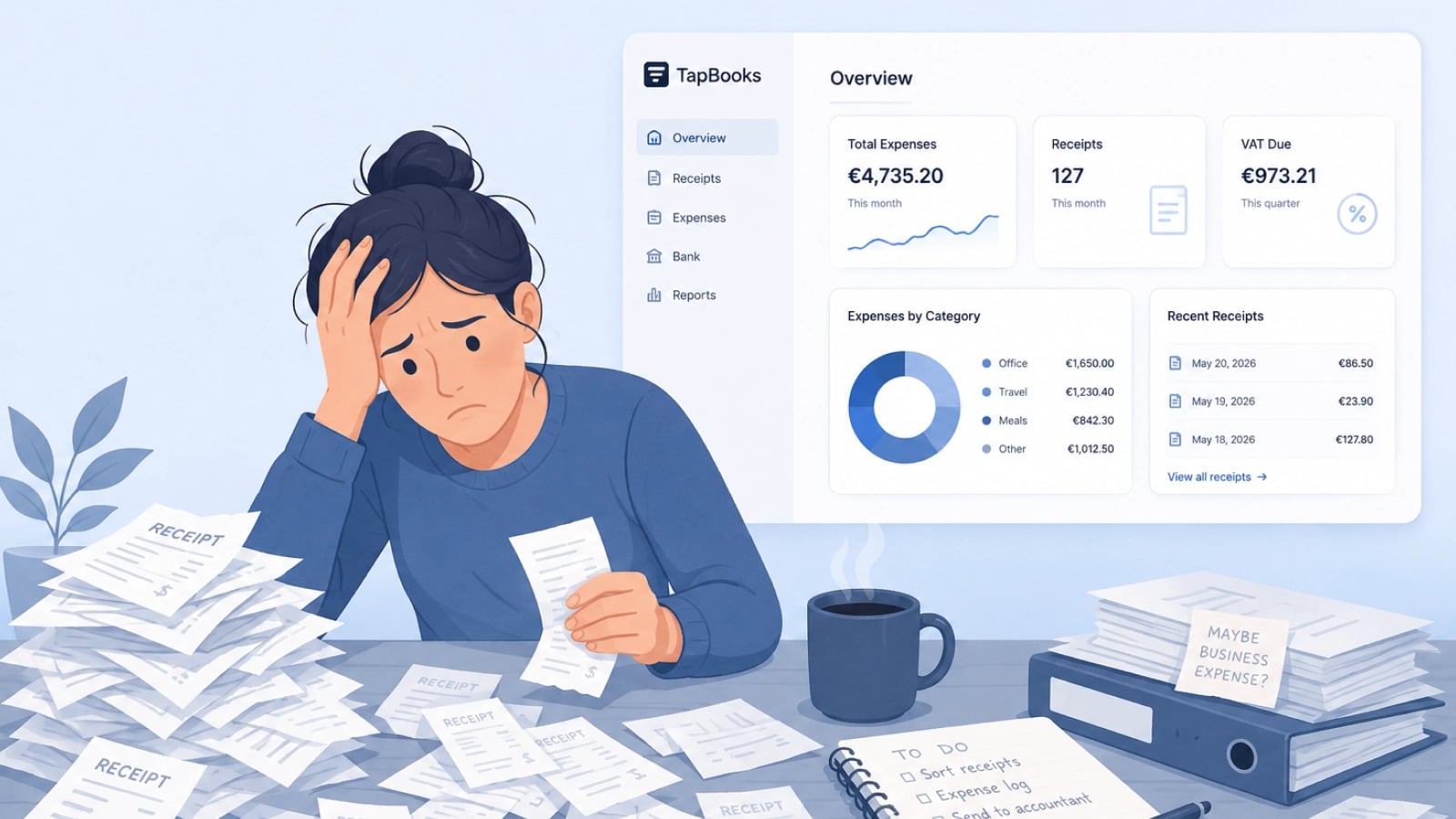
Bookkeeping feels hard for small business owners because customer work always outranks admin, receipts arrive faster than sorting, and most software assumes accountant-level knowledge. Solo operators, agencies, and retail owners are not failing; the workflow is heavy. Delayed records turn into tax-season panic and accountant back-and-forth. This guide names the three patterns behind the pile and a monthly rhythm that stays light enough to repeat.
How Long Should You Keep Business Receipts?
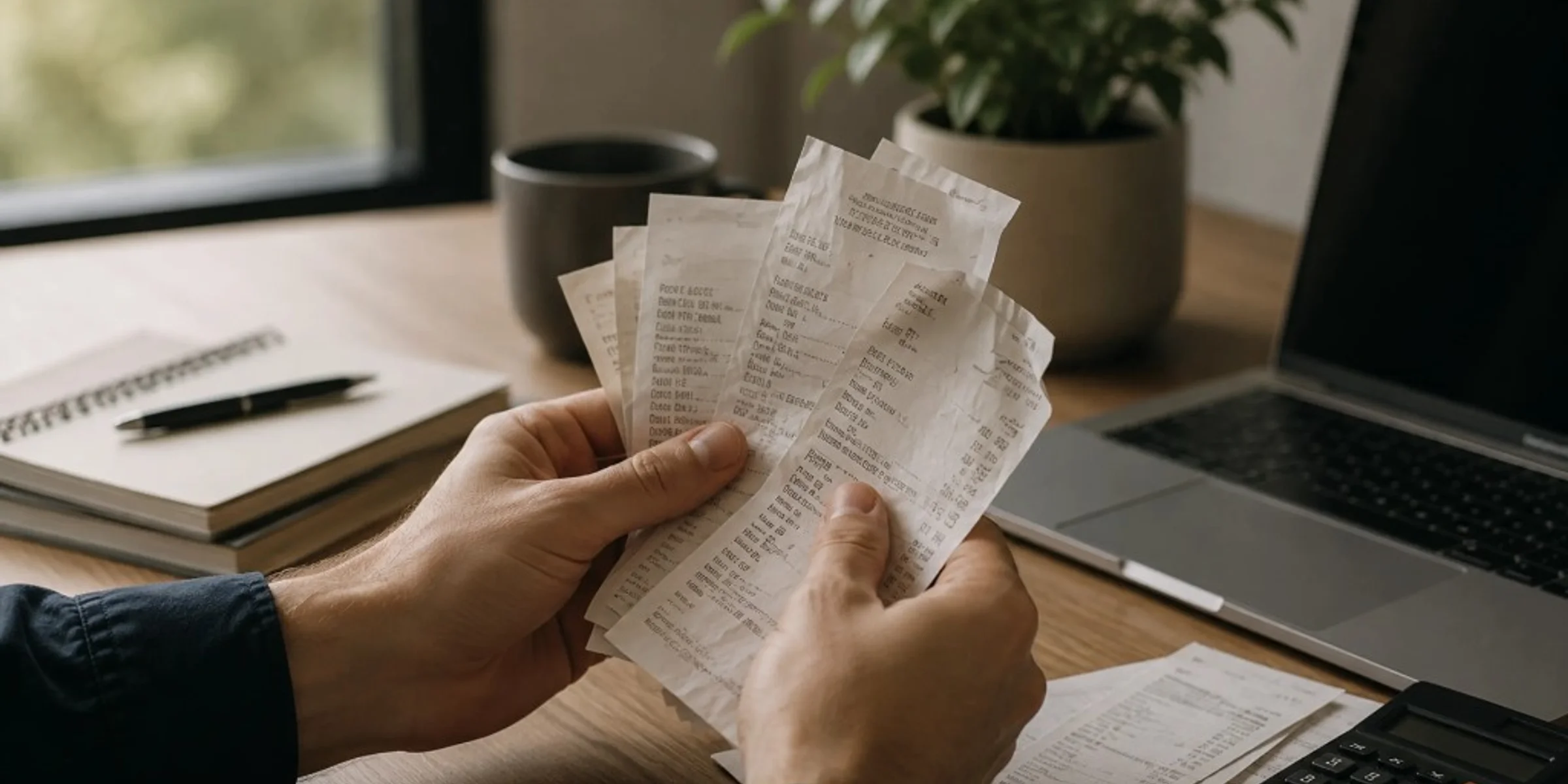
Keep business receipts for several years, often three to seven years for everyday purchases and longer for equipment, contracts, or payroll-related records, based on what your accountant needs for your books. You can usually discard paper once you have a clear, readable digital copy and that year's records are complete. Small business owners, freelancers, and contractors ask this when cleaning out files or worrying they will keep too little or too much. This guide gives a practical retention timeline by record type, a direct answer on throwing away paper, and common mistakes that leave you without proof.
What Receipts Should Small Businesses Keep?
Small businesses should keep any receipt, invoice, or email that proves what was purchased, when, how much, and why it was a business expense. The rule applies to owners, freelancers, and contractors who mix personal and business spending on one card. Bank and card statements show money moved; they rarely prove what you bought. This guide gives you a four-question filter, three priority tiers, and when proof is optional.
How to Organize Business Receipts
Organize business receipts by capturing proof the same day, storing records in one monthly folder, reviewing once a week, and sending a clean package at month-end. Small business owners and freelancers who hand records to an accountant need findable proof, not perfect categories. Scattered receipts turn one email into hours of reconstruction. This guide breaks down capture, store, review, and prepare with checklists and common mistakes.