How to Organize Business Receipts
Organize business receipts by capturing proof the same day, storing records in one monthly folder, reviewing once a week, and sending a clean package at month-end. Small business owners and freelancers who hand records to an accountant need findable proof, not perfect categories. Scattered receipts turn one email into hours of reconstruction. This guide breaks down capture, store, review, and prepare with checklists and common mistakes.
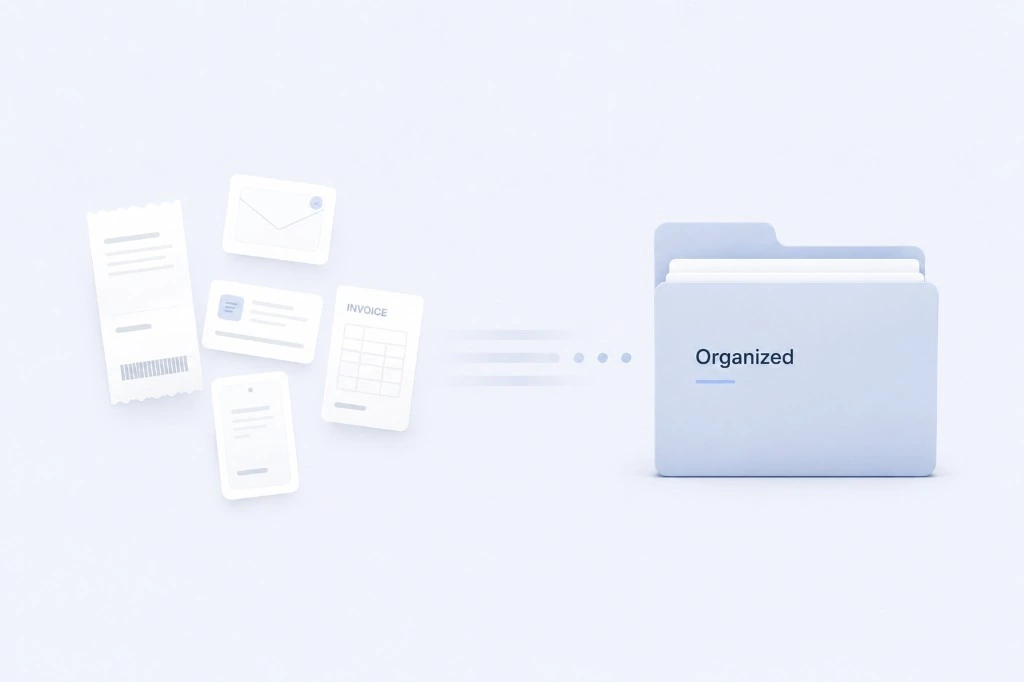
Quick Answer
How do you organize business receipts? Capture every receipt the day you get it, store it in one place organized by month, review once a week for about 15 minutes, and prepare a clean package for your accountant at month-end. That is the whole system. You do not need perfect categories on day one. You need proof of purchase in one home before it disappears.
Think of it as four habits, not four projects:
- Capture every receipt at the point of purchase.
- Store everything in one monthly folder.
- Review weekly for missing proof.
- Prepare a month-end package for your accountant.
None of these steps require accounting training. A lunch receipt photographed before you leave the table, dropped in your March folder that night, and checked on Friday is the entire idea in practice.
What good looks like: you can find any receipt from this month in under a minute. A common mistake: saving receipts "for later" and sorting a pile once a year. Later never feels urgent until your accountant emails or tax season arrives.
Why Organizing Receipts Matters
At some point you had a drawer, a shoebox, or a counter covered in receipts. Paper from the hardware store sits next to a coffee shop slip. Your phone has photos you meant to sort. Email has invoices you never forwarded anywhere useful.
You are not disorganized because you do not care. You are busy running a business. Receipts show up when you are closing a sale or answering a customer. The receipt becomes one more thing to deal with later.
Organized receipts are not about being neat. They are about not panicking when someone asks for proof.
Tax season stress. Scattered proof turns one accountant email into a lost Sunday.
Bookkeeping delays. When proof is scattered, every month-end task takes longer.
Lost documentation. Paper fades. Email gets buried. Photos disappear in a camera roll.
What good looks like: you forward a folder or export and you are done. You know March is complete because you reviewed it on the last Friday of the month.
You do not need to become a bookkeeper. You need to keep proof honest and findable. If receipts pile up because the workflow feels heavy, why bookkeeping feels so hard explains that pattern.
Receipt Chaos vs A Simple Receipt System
Receipt Chaos
- Wallet receipts
- Shoebox storage
- Random email folders
- Downloads folder
- Accountant requests documents
Simple Receipt System
- One location
- Weekly review
- Monthly organization
- Accountant-ready files
- Less stress at month-end
The Simple 4-Step Receipt System
This is the system I still use. Four steps, same order every month. Nothing fancy. It works because it is small enough to repeat when you are tired.
Capture → Store → Review → Prepare
Learn the system once and repeat it every month.
The Simple 4-Step Receipt System
Step 1: Capture Every Receipt
Capture means proof exists somewhere you control before you forget the purchase. If you are unsure whether a document counts, what receipts to keep walks through a simple four-question rule.
Do this:
- At the register or right after an online checkout, photograph paper receipts or save the confirmation screen.
- Forward email receipts to the same inbox or app you always use.
- If a contractor invoices you by PDF, save it immediately with a clear filename.
- For recurring subscriptions, save the welcome or renewal email the first time so you recognize the charge later.
Real example: You pay for parking before a client meeting. You snap the receipt in the garage elevator. Thirty seconds. That evening you forward a software renewal email to the same place. Two captures, same habit.
What good looks like: By end of day, today's business spending has proof attached. Your wallet is not a filing cabinet.
Common mistake: "I'll batch them Sunday." Sunday becomes next month. The coffee receipt fades. The email gets buried.
Another slip: Only capturing expenses over $50. Small charges add up, and those are often the ones you cannot identify later.
Step 2: Store Everything in One Place
One place means one system you trust, not five partial homes.
Do this:
- Pick a single home: a folder in your phone, a dedicated email label, cloud storage, or a receipt app.
- Organize by month first (
2026-03), not by vendor or category. - Name files so future-you recognizes them:
2026-03-15-client-lunch-cafe-name.jpg. - If you use cloud storage, one parent folder called
Business Receiptswith monthly subfolders inside.
Real example: Your March folder has 22 items. Paper is photographed, email forwards land there, PDF invoices are dragged in. You are not opening six apps to answer "what was that $47 charge?"
What good looks like: You can hand someone March without explaining the system for twenty minutes.
Common mistake: Keeping receipts in your personal camera roll mixed with kids' photos and screenshots. You will never find the Staples receipt between meme images.
Another slip: Creating a new folder structure every January because last year's "did not work." One boring structure beats a fresh start you abandon.
Step 3: Review Receipts Weekly
Weekly review is a short scan, not a full bookkeeping session.
Do this:
- Block 15 minutes, same day each week (Friday works for many owners).
- Open this month's folder. Scan for obvious gaps.
- Match anything unclear to your bank or card feed. Note missing proof while you still remember the purchase.
- If a charge has no receipt, write a one-line note in the folder: date, vendor, amount, what it was for.
Real example: Friday afternoon you see an $89 charge with no receipt. You remember it was a domain renewal, search email, forward the invoice, done. Another charge is $34 at a cafe you do not recognize until you check your calendar and see a contractor meeting.
What good looks like: Month-end is tidying, not archaeology. You are fixing small gaps, not rebuilding a quarter.
Common mistake: Skipping weeks because "I'll catch up at month-end." Month-end becomes a four-hour project you dread, so you skip that too.
Another slip: Turning weekly review into a full categorization project. This is a receipt check, not tax prep.
Step 4: Prepare a Monthly Accountant Package
Preparing means your accountant gets organized records, not a shoebox export. For the full list of what belongs in that handoff, see what documents your accountant needs.
Do this:
- On the last business day of the month (or first day of the next), open the month folder.
- Remove anything personal that slipped in. Add a short note for unusual items.
- Include receipts, invoices, and anything your accountant has asked for before (they often want the same format each month).
- Export or share the package the way your accountant prefers: folder link, zip, or handoff through your bookkeeping tool.
Real example: April 1 you send March: receipts, invoices, and a three-line note about a large equipment purchase. Your accountant replies "got it" instead of twelve clarification emails.
What good looks like: You are not guessing what they need. You send what you organized all month.
Common mistake: Waiting until tax season to "organize the year." That is the hardest possible time to start.
Another slip: Sending a zip with no context. One sentence ("March receipts and invoices, note on equipment in folder") saves back-and-forth.
Paper Receipts vs Digital Receipts
You do not have to pick a team. Most owners use both. What matters is both land in the same monthly home.
My practical take: go digital-first for storage even when the proof starts on paper. Photograph paper receipts the same day. Treat email and PDF invoices as the primary format when you have a choice. Paper is a backup until you confirm the photo saved clearly.
Paper receipts still show up at restaurants, hardware stores, parking garages, and anywhere you pay cash or tap a card without an email confirmation. The habit is simple: photograph before you leave the building or get in the car. Fold long receipts flat so the total and date are visible in one shot. Do not let paper live in your wallet past Friday.
Digital receipts arrive in email, app confirmations, and vendor portals. Forward or save the same day. A single forwarded email beats a perfect automation you never finish. If you use a receipt app, the same four steps apply: capture at purchase, one monthly home, weekly review, month-end package.
Bank and card statements show money moved. Receipts usually show what you bought. Keep both in mind during your weekly review in Step 3: match unclear charges to your statement, then track down the receipt or note while you still remember the purchase.
When paper still wins: cash purchases, some parking and fuel stops, and vendors who only print a narrow thermal slip. Photograph immediately. Thermal paper fades fast.
When digital wins: subscriptions, online purchases, contractor invoices, and anything you might need to search by vendor name six months later.
What good looks like: Paper is photographed day-of. Digital is forwarded day-of. Both are in March before the month closes.
Common mistake: Treating digital as "already saved" because it exists in email. If your accountant cannot find it in your package, it is not organized.
Another mistake: Keeping paper only because it feels more official. A clear photo stored in your March folder is more useful than a faded slip in a glove box.
Paper Receipts vs Digital Receipts
Paper Receipts
- Where they come from
- Store, restaurant, cash purchases, parking
- Main risks
- Fading ink, lost slips, never photographed
- Best practice
- Photo immediately, one monthly folder
- When it fails
- Stays in wallet for weeks
Digital Receipts
- Where they come from
- Email, app, online checkout, vendor portals
- Main risks
- Buried in inbox, wrong account
- Best practice
- Forward or auto-save to same folder
- When it fails
- Screenshot you never uploaded
Common Receipt Organization Mistakes
These are default behaviors when nobody shows you a simpler path.
Common Receipt Organization Mistakes
Mistakes
- Wallet storage
- Car storage
- Multiple folders
- End-of-year catch-up
Better approach
- Capture immediately
- One storage location
- Weekly review
- Monthly accountant package
Keeping receipts in a wallet until tax season means faded paper and lost proof. Using multiple systems means you never have one answer when someone asks for March. Waiting until tax season is the hardest possible time to start. Relying only on memory turns mystery charges into awkward accountant emails. Never reviewing records turns month-end into a rescue mission.
Receipt Organization Checklist
Use this as a starting point. Adjust times to your week, but keep the order.
Daily (under 2 minutes)
- Photograph or save every business receipt before end of day
- Forward email receipts to your one storage home
- Name or tag with the month if your tool requires it
Weekly (15 minutes, same day each week)
- Open this month's folder
- Match unclear charges to bank or card activity
- Track down missing proof while you remember the purchase
- Move anything personal out of the business folder
Monthly (30 to 45 minutes, last business day or first of next month)
- Confirm the month folder is complete
- Add short notes for unusual or large purchases
- Prepare and send your accountant package
- Start an empty folder for the new month
Real example: I do Friday 4pm review and first-of-month send. My accountant knows when to expect files.
What good looks like: You finish monthly prep without a stress spike. Your wallet is not part of the system.
Common mistake: A checklist with forty items you abandon by week two. This list is intentionally short.
Business Receipt Organization Checklist
- Capture every receipt
- Store in one location
- Review weekly
- Categorize monthly
- Prepare accountant package
- Archive completed month
Frequently Asked Questions
Related Reading
- What receipts should small businesses keep?
- Browse bookkeeping FAQs
- Why small businesses avoid bookkeeping
A Clear Next Step
You do not need a perfect receipt system today. You need one you will open tomorrow.
Pick one month. Gather receipts where they already live: wallet, email, downloads, photos. Put them in one folder, even if the list has gaps. Write down what is missing. That list is progress.
If you have months of backlog, do not try to fix everything this weekend. Work backward from the current month: get this month right first, then tackle one older month at a time when you have energy. Forward progress beats a perfect archive.
Then run one week of the Simple 4-Step Receipt System: capture the same day, store in one place, review Friday, and see how much lighter the month feels.
Real example: I started with one messy month, not five years of backlog. Within three weeks, new receipts stopped hurting.
What good looks like: you feel relief, not dread, when you see a receipt in your hand. You know exactly where it goes.
Common mistake: rebuilding your entire history before you allow yourself a simple system. Start forward. Catch up in chunks if you must, but do not let perfect be the enemy of organized.
Start simple. Be consistent. The best receipt system is the one you will actually use. A simple rhythm followed every week beats a complicated setup you avoid.
If you want one home for receipts and a clearer monthly rhythm, you can see how TapBooks works. Whether you use a tool or a folder on your phone, the workflow is the same: capture, store, review, prepare. That is enough for most small businesses.

Founder, TapBooks
Helping small business owners organize receipts, prepare month-end files, and work better with their accountant.
Keep reading
How Long Should You Keep Business Receipts?
Keep business receipts for several years, often three to seven years for everyday purchases and longer for equipment, contracts, or payroll-related records, based on what your accountant needs for your books. You can usually discard paper once you have a clear, readable digital copy and that year's records are complete. Small business owners, freelancers, and contractors ask this when cleaning out files or worrying they will keep too little or too much. This guide gives a practical retention timeline by record type, a direct answer on throwing away paper, and common mistakes that leave you without proof.

What Receipts Should Small Businesses Keep?
Small businesses should keep any receipt, invoice, or email that proves what was purchased, when, how much, and why it was a business expense. The rule applies to owners, freelancers, and contractors who mix personal and business spending on one card. Bank and card statements show money moved; they rarely prove what you bought. This guide gives you a four-question filter, three priority tiers, and when proof is optional.
Why Bookkeeping Feels So Hard for Small Business Owners
Bookkeeping feels hard for small business owners because customer work always outranks admin, receipts arrive faster than sorting, and most software assumes accountant-level knowledge. Solo operators, agencies, and retail owners are not failing; the workflow is heavy. Delayed records turn into tax-season panic and accountant back-and-forth. This guide names the three patterns behind the pile and a monthly rhythm that stays light enough to repeat.
How to Categorize Business Expenses
Categorize business expenses by matching each receipt or charge to one of twelve broad labels and reusing the same label for the same merchant every month. Freelancers and small business owners need consistency, not a complex chart of accounts. Inconsistent labels create rework at month-end and confuse exports. This guide includes a copy-paste category list, a merchant lookup table, and a 30-second rule for uncertain charges.